
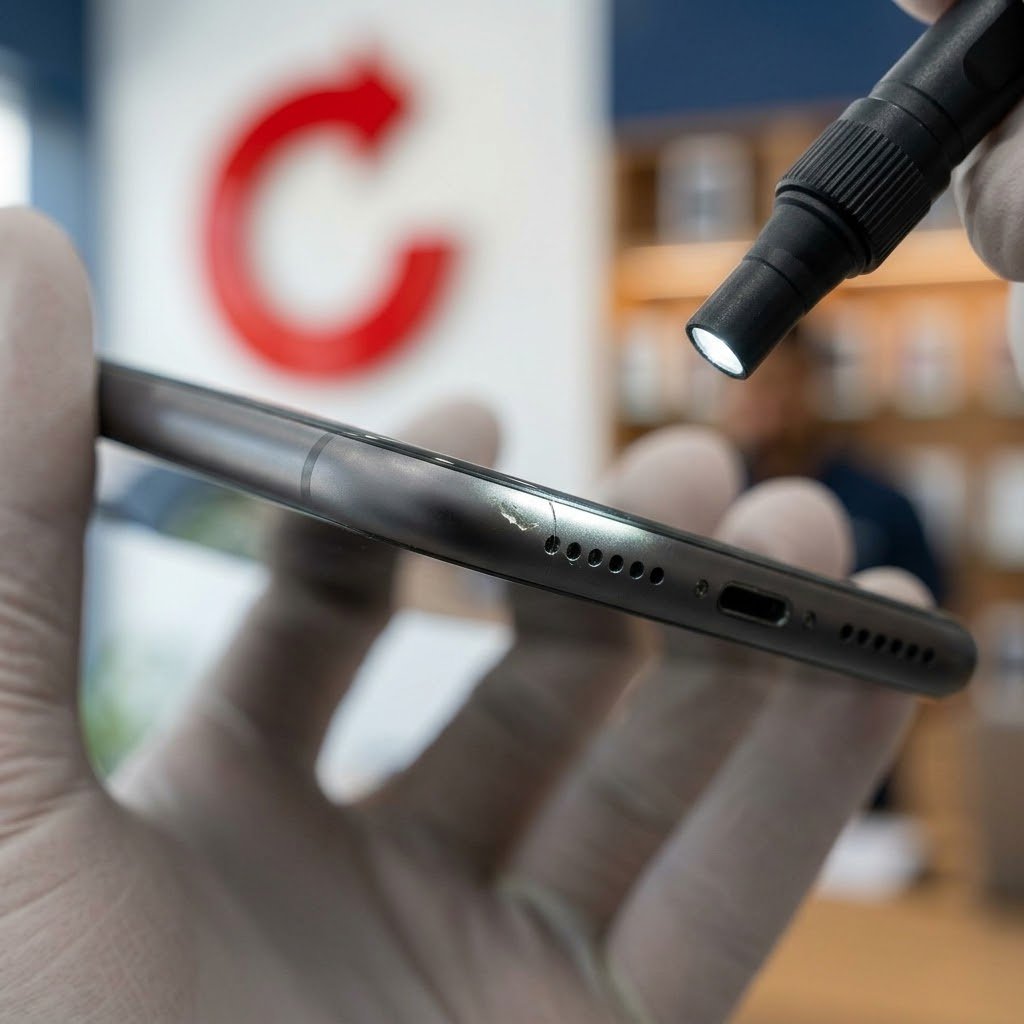
A trade-in quote changes after inspection when the device in hand does not match what was selected online. The online price is an estimate built from your own answers, and the final offer comes from checking the actual device. Choosing the condition accurately and removing account locks beforehand are the two things that keep the estimate and the offer close.
What is an online trade-in price based on?
An online price has never seen your device. It is calculated from what you select. On celltrade.ae you choose the device, storage, box (sealed or open) and condition (Excellent, Good, Average or Poor), and the site shows an estimated price.
That estimate is only as accurate as the selections behind it. If you pick the wrong storage size, or a grade higher than the device deserves, the estimate is for a different device from the one you own.
What do inspectors typically check?
Inspections of used devices generally cover the same points:
- Screen: cracks, scratches, lines, dead pixels, discolouration and touch response.
- Body: dents, a bent frame, cracked back glass.
- Cameras: each lens focuses, with no cracks or spots, and the flash works.
- Buttons: power, volume and any switches respond properly.
- Ports and sound: the charging port, speakers and microphones.
- Battery: the battery health the device reports and whether it holds a charge.
- Water damage signs: corrosion in the ports, moisture under a camera lens, or a triggered liquid indicator.
- Account locks: whether the device is still linked to an Apple, Google or Samsung account.
- Original parts: whether the screen, battery or other parts have been replaced, and with what.
Why does the final offer differ from the estimate?
These are the common reasons:
- The condition chosen was too optimistic. Owners stop noticing scratches they see every day. An inspector looking at the device for the first time, under good light, will notice them.
- An account lock is still on. A device still tied to your account cannot be set up by anyone else. On an iPhone, turn off Find My and sign out of your Apple Account. On Android, remove your Google account before you reset the phone. It is quick if you know your password, and slow if you have to recover it.
- The screen or battery is not original. A replacement part may work, but it can differ in quality from the original. Many phones report replaced parts in their settings.
- “Sealed” was chosen, but the box is open or missing. Sealed means the factory seal has never been broken. A carefully kept box that has been opened is still an open box.
- A fault only shows up in testing. A weak microphone or a camera that will not focus is easy to miss in daily use.
What do Excellent, Good, Average and Poor mean?
Use this as a general guide when you pick a grade.
| Grade | In plain words |
|---|---|
| Excellent | Looks close to new. No marks worth mentioning. Everything works. |
| Good | Light signs of use, such as fine scratches. Everything works. |
| Average | Clear wear, such as visible scratches, scuffs or small dents. The device still works. |
| Poor | Heavy damage or faults, such as a cracked screen, parts that do not work, or a device that will not turn on. |
Celltrade.ae buys devices in any condition, working or not, so Poor is a valid choice and not a reason to stay away.
How do you choose the right grade?
- Remove the case and screen protector, and wipe the device clean.
- Look at the screen, back and edges under bright light, from several angles.
- Test the cameras, speakers, microphone, buttons and charging.
- Check the battery health in settings, and look for any message about replaced parts.
- If you are between two grades, choose the lower one.
- Mention anything unusual, such as a past repair, when you continue on WhatsApp.
Choosing a higher grade does not raise the money you receive. It only raises the estimate, and the difference shows up at inspection.
What happens at inspection with Celltrade.ae?
The device is inspected in front of you, and the final offer is confirmed after that inspection. You are free to accept or decline it. If you accept, you are paid in cash on the spot.
Bring the device and your Emirates ID or passport. The charger and box help but are not required. You should back up, sign out and factory reset before handing the device over; our team can help you do this in store.
What is the next step?
Grade your device with the steps above, then get an estimate: sell a phone, sell a laptop or sell another device. Continue on WhatsApp, then visit one of our stores in Deira, Al Barsha or Al Satwa with no appointment, or book free home pickup in Dubai, Sharjah or Ajman.