
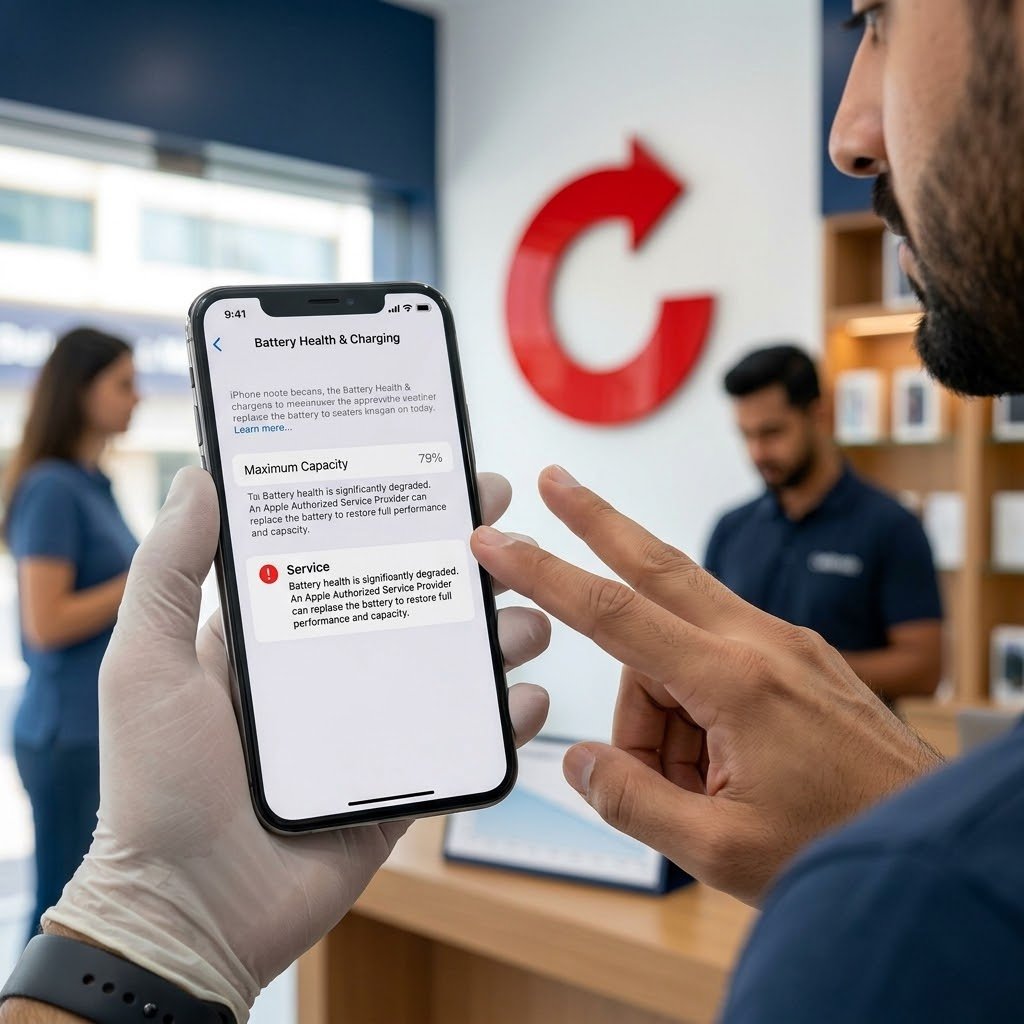
Yes. An iPhone with low battery health can be sold in Dubai, and Celltrade.ae buys iPhones in any condition, working or not. Battery health is one of the things checked during inspection and it affects the final offer, so it helps to know what your phone reports before you ask for a price.
Where do you check battery health on an iPhone?
Open Settings, tap Battery, then tap Battery Health. On some iOS versions the same screen is called Battery Health & Charging. The wording changes between iOS versions and iPhone models, but the route through Settings and Battery stays the same.
On that screen you will usually see:
- Maximum Capacity, shown as a percentage.
- A status line or message about the battery, such as Normal or Service, on versions that show one.
- On newer models, extra details such as the cycle count.
Take a screenshot of this screen. It is useful when you describe the phone on WhatsApp.
What do “Maximum Capacity” and a “Service” message mean?
Maximum Capacity compares what the battery holds now with what it held when it was new. A new battery reads at or close to full. The figure falls slowly as the battery goes through charge cycles. A lower figure means fewer hours of use between charges. It does not mean the phone is broken.
A Service message means iOS judges that the battery has aged enough to be worth replacing. Apple’s own guidance treats a battery as worn once its capacity has dropped well below the original level. A phone in this state may run for a shorter time, and it may slow itself down at demanding moments to avoid switching off unexpectedly.
Neither reading stops you selling. They tell a buyer what the next owner should expect, which is why they are part of the price.
Why does a replaced or non-genuine battery matter to a buyer?
Recent iPhones record whether the battery has been changed. Go to Settings, then General, then About, and look for a parts and service history section. It appears only when a part has been replaced. It shows whether iOS recognises the battery as a genuine Apple part or lists it as an unknown part.
An unknown battery matters to a buyer for three reasons:
- The phone may not be able to show battery health at all, so nobody can see how worn the battery is.
- The quality and safety of the part are harder to judge.
- The next owner will see the same message, which makes the phone harder to resell.
A replaced battery is not something to hide. Say that it was changed and, if you know, where. An inspector will see it in Settings anyway.
Should you replace the battery before selling?
There is no single right answer. Each choice has a cost:
| Option | What you gain | What you risk |
|---|---|---|
| Replace with a genuine battery at an authorised service provider | Battery health reads as new and the phone is easier to describe | You pay for the replacement and wait for it, and the better offer may not cover what you paid |
| Replace with a cheaper non-genuine battery | Lower repair cost | The phone may show an unknown part message, which can count against it |
| Sell the phone as it is | No cost and no waiting | The offer reflects a worn battery |
If you are selling soon anyway, selling the phone as it is avoids spending money you may not get back. A replacement makes more sense if you plan to keep using the phone for a while. If you are unsure, find out what a genuine replacement costs, get an estimate for the phone as it is, and compare the two before you decide.
How should you describe the battery when choosing a condition?
On celltrade.ae you choose your model, storage, box (sealed or open) and a condition: Excellent, Good, Average or Poor. The price you see is an estimate based on those choices.
- Judge the condition by the whole phone: screen, body, cameras, buttons and battery together.
- If the phone shows a Service message, or runs out much faster than it should, do not choose Excellent just because it looks clean.
- When you continue on WhatsApp, mention the Maximum Capacity figure, any Service message, and whether the battery has been replaced.
The final offer is confirmed after the phone is inspected in front of you. An accurate description makes it more likely that the estimate and the final offer are close. You are free to accept or decline the offer.
What is the next step?
Check the battery screen, then get an estimate on the sell an iPhone page. Continue on WhatsApp and either visit one of our Dubai stores in Deira, Al Barsha or Al Satwa, with no appointment needed, or book free home pickup in Dubai, Sharjah or Ajman.
Bring the phone and your Emirates ID or passport. The charger and box help but are not required. You should back up, sign out and factory reset before handing the device over; our team can help you do this in store. Once you accept the offer, you are paid in cash on the spot. Selling a different model? Start from the sell a phone page.